

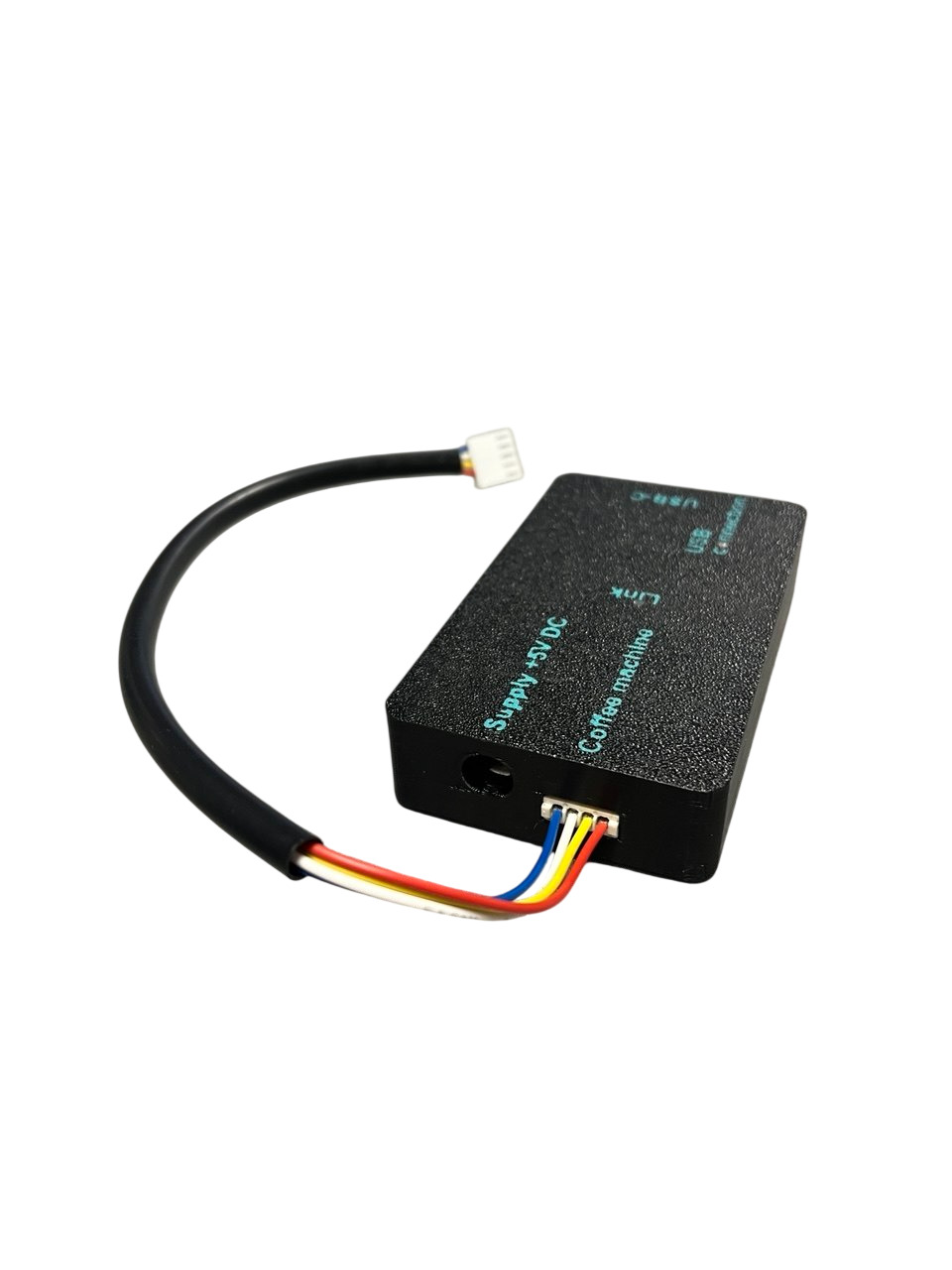
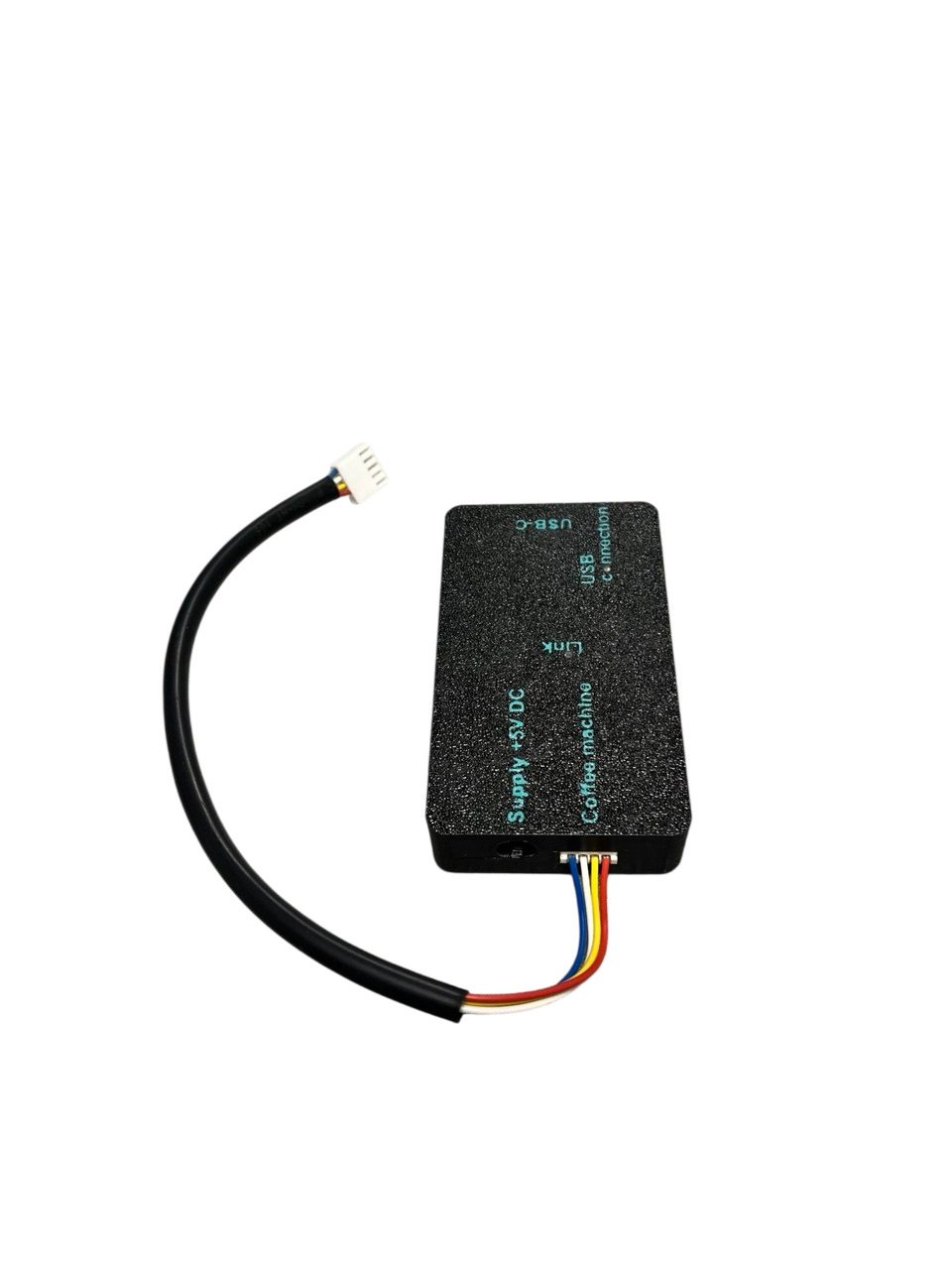
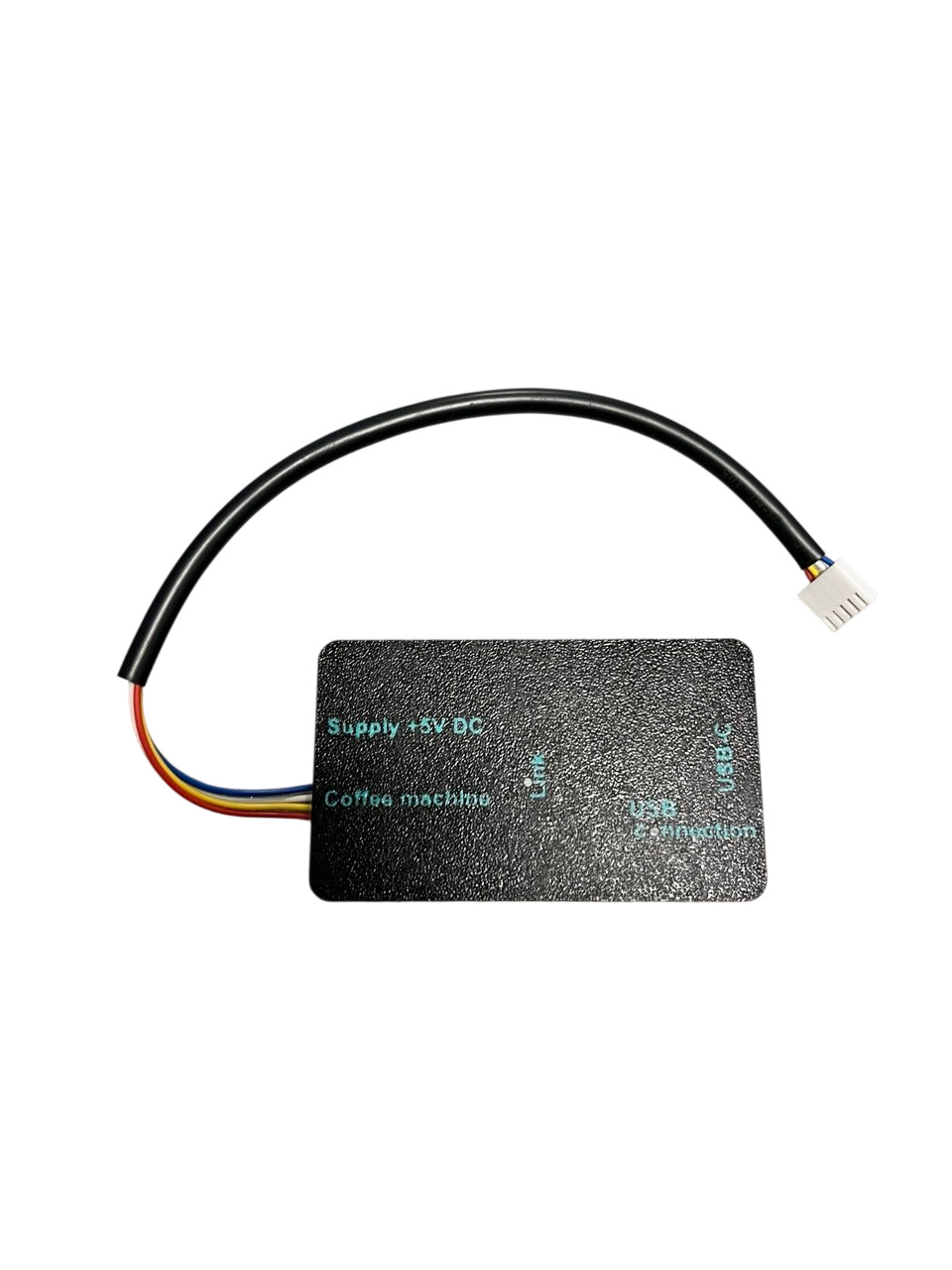
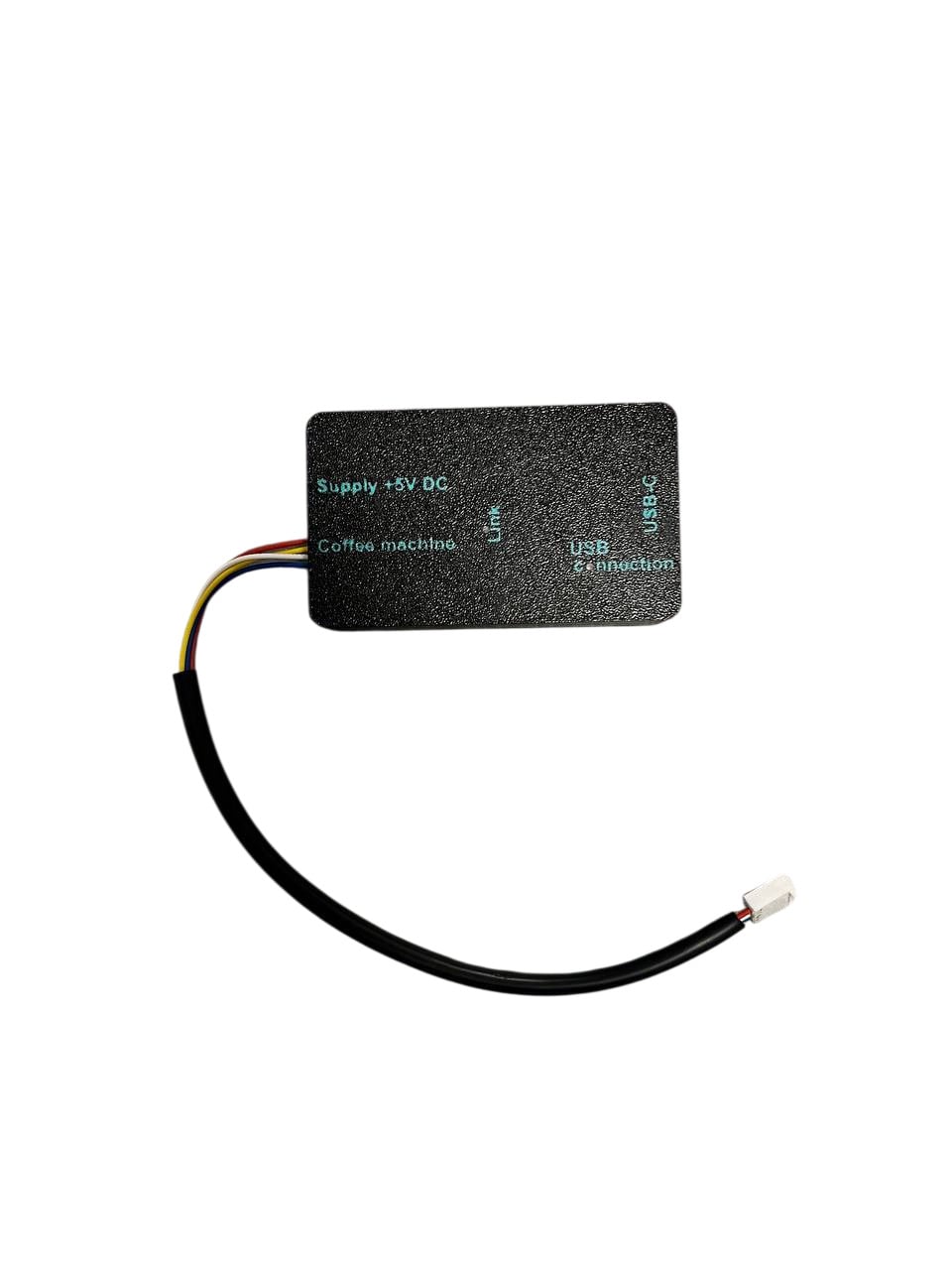


Independent PSG Link service programmer with a web cabinet — a B2B tool for workshops repairing Philips, Saeco i Gaggia: read parameters and counters, flash firmware after board or CPU replacement.
Presale price ends in
After the launch on 1 January 2027 the kit costs 800 EUR.
Presale runs until 31 December 2026.
- Today — order and pay 550 EUR, VAT invoice to your company.
- Right away — PSG Link cabinet account; until launch you work in demo and prepare your model list.
- 1 January 2027 — launch; kits ship in order of placement.
- Businesses only — payer “Legal entity”, VAT/NIP, VAT invoice
- Shipping from 1 Jan 2027 in order of placement
- Cabinet demo without registration; reads always 0 EUR
PSG Link can only be purchased by legal entities and sole traders (JDG) running appliance repair. Checkout only offers the “Legal entity” payer — the order requires a company name and VAT/NIP; we issue a VAT invoice. Consumer orders are not accepted.
AGD Group is not an authorised service centre (ASC) or the manufacturer’s EPSC channel. “PSG” is our own kit designation; the expansion Philips · Saeco · Gaggia is descriptive only and indicates the technical compatibility scope.
Try the interface before buying: model catalogue with port filter (wired / IR), work scenarios, read and flash screens. Demo does not connect to a board and does not use credits. Chrome / Edge, no registration.
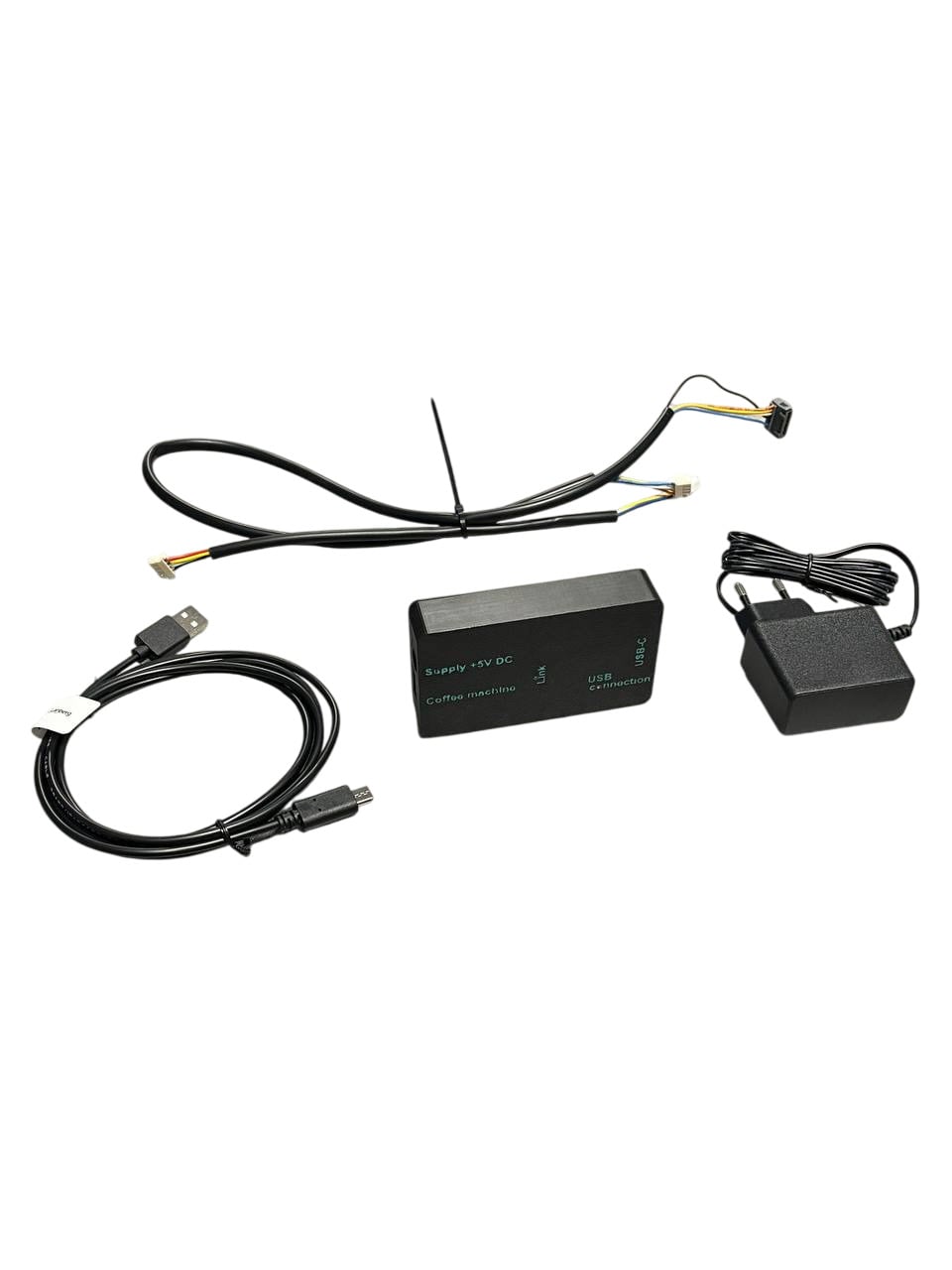
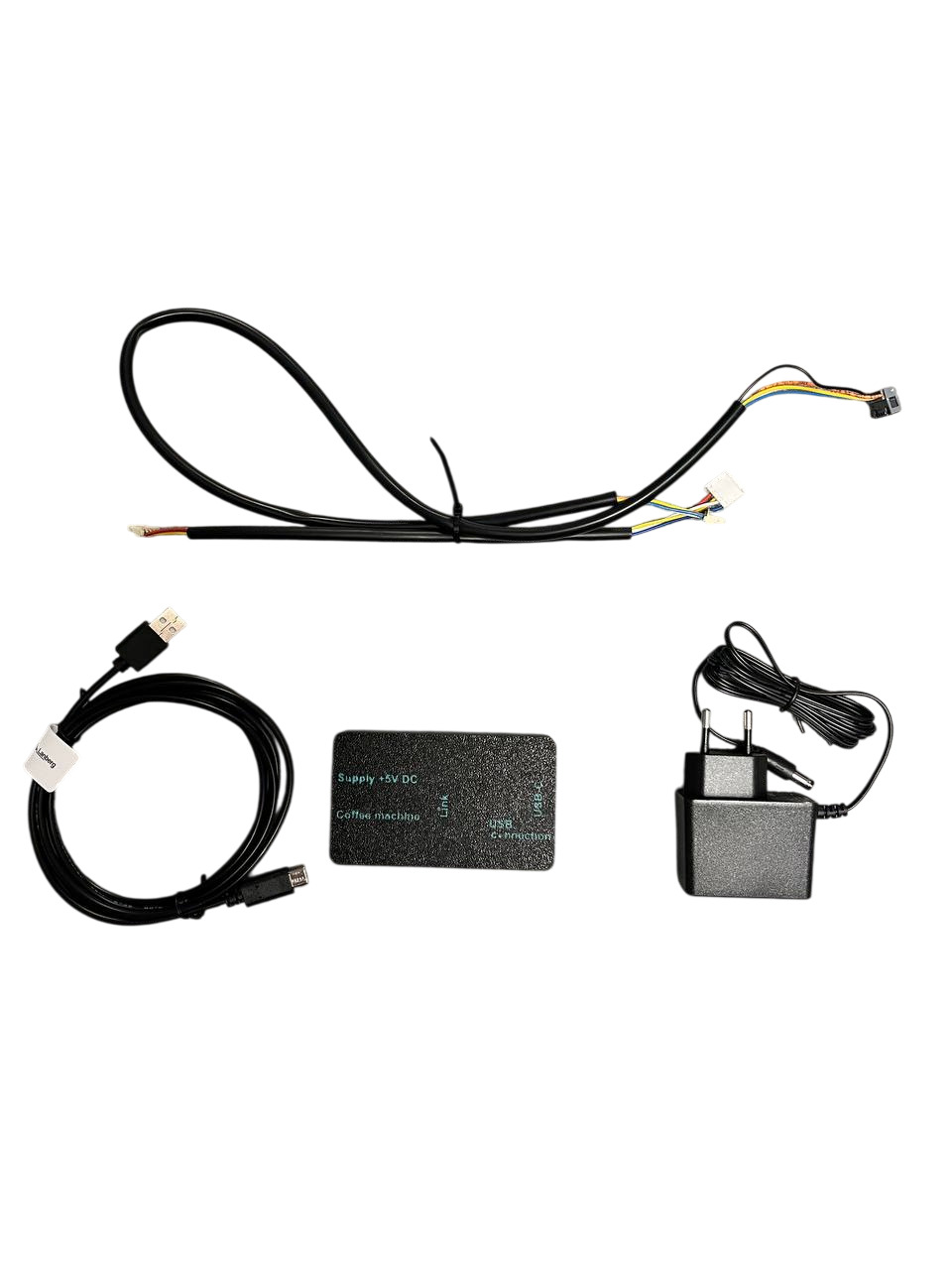
What’s in the box — what, where and why
| Item | Where it connects | What for |
|---|---|---|
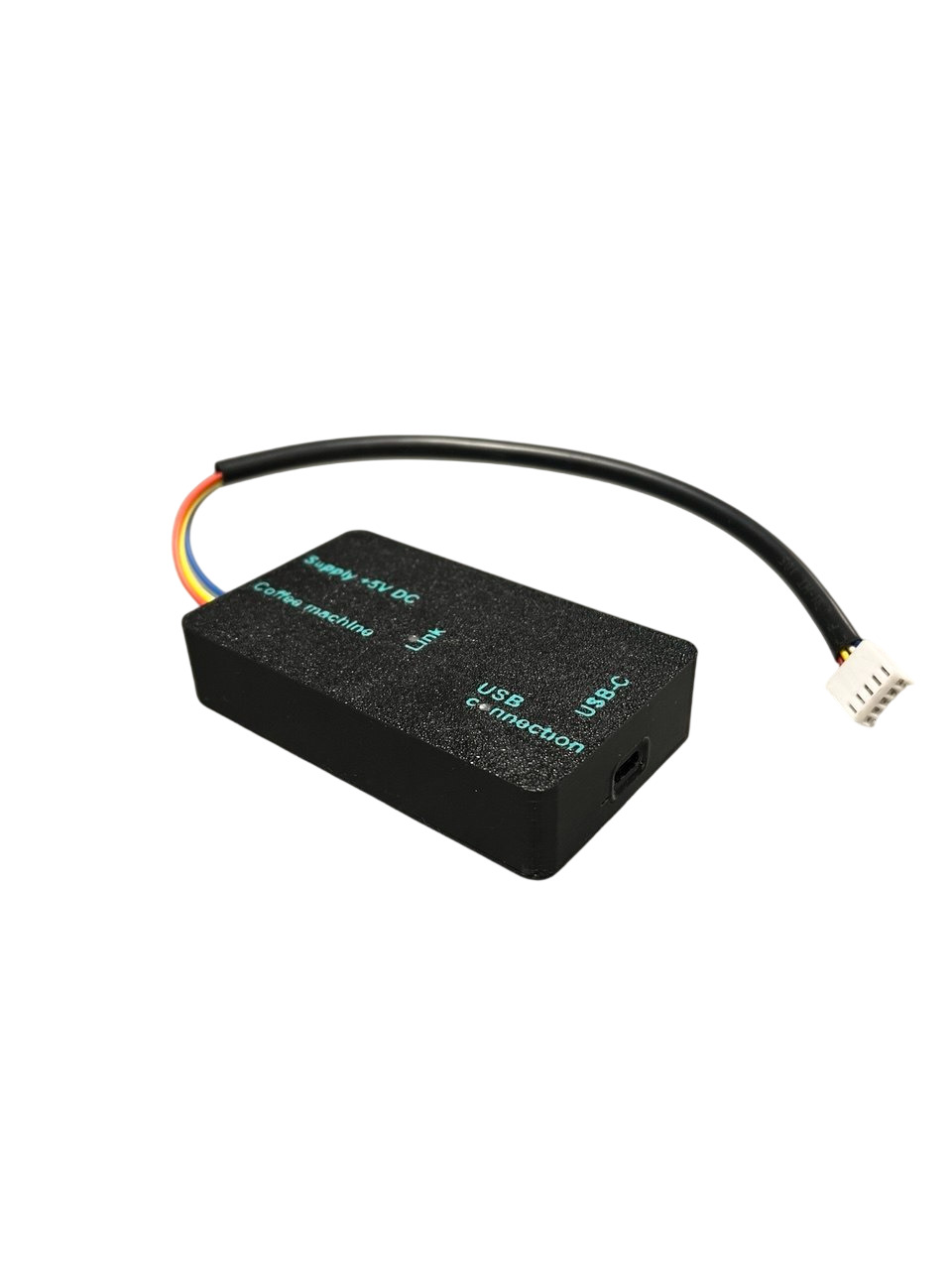
| PSG Link programmer 3 sockets: USB-C · service connector · DC | USB-C → USB-C cable → computer; service connector → service cable or IR module; DC → PSU | Bridge between the browser and the board. It has its own hardware key (UID): firmware and maps are encrypted for that UID; a session exists only with the programmer connected. It talks to the board bootloader over UART. |
| USB-C cable USB-C → USB-A, ok. 1 m | USB-C plug → programmer; USB-A → computer (or USB-C via adapter) | Link to the browser (WebUSB / Web Serial) and power for the programmer logic. The cable can be replaced with a longer one. |
| PSU | DC plug → programmer; PSU → 230 V outlet | Powers the machine board through the programmer. The machine is unplugged from mains during work (no 230 V on the bench, no risk of heater/pump switching on), stable voltage, and the programmer itself decides when to apply power — the board bootloader “listens” only briefly after start. |
| Service cable — 2 pcs two plug types | one end → board service connector, other → programmer | Wired boards use two service-connector types — hence two cables. Choose the one whose plug fits without force and matches the keying. The cabinet shows the port type for each model; the box includes a “cable → model families” card. |
| Cabinet access | Chrome / Edge → agdgroup.pl/psg | Workshop account, programmer bound to the account by UID, model catalogue, read history, credits, customer printout. Nothing to install. |
Not included: IR module (older infrared models — on request), a computer, or CPUs (separate offer — below).
Requirements
- A computer with Windows 10/11, macOS or Linux and Chrome or Edge (WebUSB / Web Serial). Firefox and Safari do not support connecting to the programmer.
- A free USB port (USB-C → USB-A cable in the kit; for USB-C-only laptops a C–C cable is enough) and internet access — the catalogue and credit billing run on the server.
- Access to the board service connector: on most models you need to remove the housing or service cover.
Connection step by step
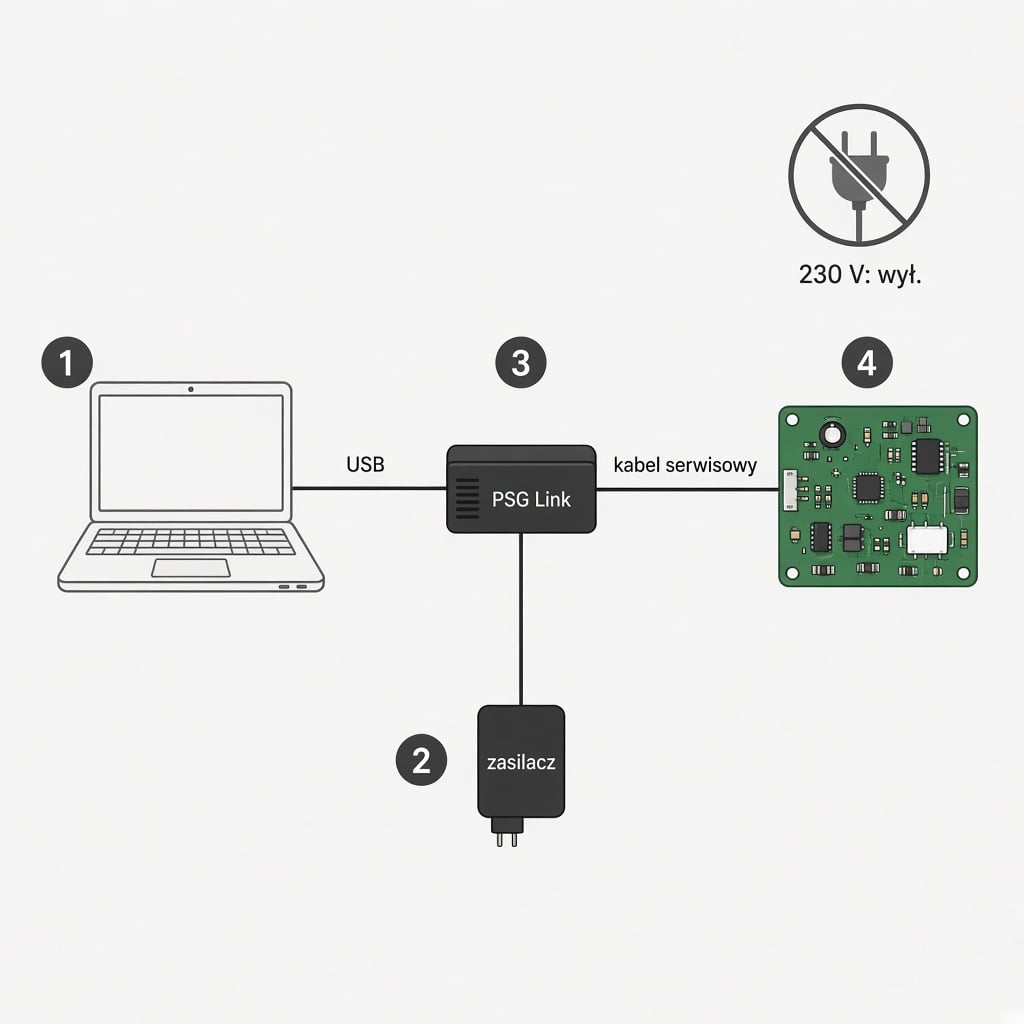
- Komputer (①). Open the cabinet in Chrome / Edge and sign in. Choose a scenario and model (by name or 12NC from the machine rating plate).
- Machine. Unplug from the wall and set the switch to OFF. Remove the housing / cover to reach the board service connector. Do not connect the machine to mains until you finish.
- service cable (④). Choose the cable whose plug fits the board service connector. Insert keyed, without force. Other end to the programmer service socket.
- PSU (②). DC plug into the programmer, PSU into the wall. This is the only item connected to 230 V.
- Programmer (③). Connect via USB-C to the computer. In the cabinet click “Connect programmer” and approve the device in the browser dialog. Status becomes “programmer connected”; the UID appears in the field.
- Start. Read — click and wait for the snapshot. Flash — pick a firmware version from the list for the model, confirm. Live progress bar and log.
- W trakcie do not disconnect USB, PSU or the cable. Interrupting a flash may leave the board without firmware (retryable, but risky).
- Koniec. After “Done”: disconnect USB → PSU → service cable. Reassemble the machine, plug into mains, check start and basic functions. After flashing, do a free control read.
Trzy scenariusze w gabinecie
| Scenario | When | What it does | Cost |
|---|---|---|---|
| Read parameters | Pre-repair diagnostics, condition documentation, settings backup before board swap | Settings and counter snapshot → account history; before/after comparison; customer printout | 0 EUR |
| Board was replaced | New / used board from another model, repaired board, CPU with bootloader | Flash firmware for the model (12NC) — the board “becomes” that machine’s board | 10 EUR |
| New CPU | Dead MCU on the board | Guide + chip order: model-ready or with bootloader (then as above) | per quote |
What the PSG Link cabinet can do
- catalogue of ~1,180 models in 65 families, ~2,150 firmware files and ~1,980 EEPROM maps (Philips / Saeco / Gaggia); filter by 230/120 V voltage and wired/IR port, model photo, 12NC,
- read settings and counters, snapshot history on the account, restore parameters from a snapshot (where firmware allows),
- flash firmware after board or CPU replacement — encryption for the programmer UID, verification, technical status,
- edit parameters in maps with write allowed; service counters protected on the server side,
- operation log, customer print form, multiple technicians on one workshop account,
- UI in 20+ languages (PL, EN, DE, RU…), browser-based, no install.
What PSG Link deliberately does not do
- does not zero or edit drink, cleaning, descaling, water, filter or grounds counters — server-side lock, including for admins,
- does not offer firmware files for download — data exists only in an encrypted session for a specific programmer,
- does not bypass manufacturer protections or “unlock” features — it restores operation, it does not modify,
- is not intended for consumers — the recipient is the workshop performing the repair.
Why CPUs “die” and what we do about it
Most common causes of a dead control board in Philips / Saeco / Gaggia machines: mains surge, electronics flooding (brewer, boiler, pump leak), heater or triac short, ESD during service, and also interrupted firmware flash (“brick” after power loss). Symptoms: no reaction to the power switch, machine will not start, no communication with the programmer, display lit with no logic.
Problem: an off-the-shelf CPU is blank — it has no service bootloader, so no programmer on the service connector can talk to it. Soldering a blank chip and flashing the model via the cabinet will not work. The bootloader must be written before the chip goes on the board.
That is why, besides the programmer, we prepare (soon in the shop) two CPU options:
| Option | For whom | How to use |
|---|---|---|
| CPU programmed for the model you provide 12NC | Workshop without a programmer or a one-off repair | Solder (correct package and orientation) → assemble → machine works. No cabinet needed. |
| CPU with service bootloader universal for the platform | Workshop with PSG Link, stock for several families | Solder → connect PSG Link → “Board was replaced” → model → flash (10 EUR). One chip fits many models of that platform. |
To order CPUs you only need: chip type / package, machine model (12NC) and quantity — info@agdgroup.pl. B2B delivery for workshops.
Compatibility — check your model
Cabinet catalogue: 1,179 models in 65 families Philips · Saeco · Gaggia, including 268 on IR.
Family list without search (text version)
Wired link (cables in the kit):
- Philips: EP 1000/1200, 2000/2100, 2300/3300 (CMF, LatteGo), 3000/3100 (+Deluxe), 4000/4400 (CMF, LatteGo, Deluxe), 5000 (CMF, OTC, LatteGo), 5500 LatteGo, Café Aromis EP 6000 / 8000, Baristina (Latte, Latte Plus, Bean Swap).
- Saeco: Incanto, Intelia / Intelia Deluxe, Intuita, Minuto / Minuto Essence, PicoBaristo, GranAroma / GranAroma Deluxe, Xelsis 2017 / 2021, XSmall / XSmall Puro / XSmall Vapore.
- Gaggia: Anima, Besana, Brera, Cadorna, Magenta, Naviglio, Unica, Velasca, Accademia 2022, Classic Up, Classic GT.
IR link (requires IR module — on request): Saeco Odea, Talea, Syntia, Energica, Exprelia / Exprelia Deluxe, Moltio, Incanto Executive, GranBaristo / GranBaristo Deluxe, Xelsis (1. gen.), Gaggia Platinum, Accademia (1. gen.), Babila.
List from the cabinet catalogue (as of October 2026); “read” = this firmware version does not support parameter write. Listing in the catalogue does not guarantee fit for a specific unit — before work verify the model and 12NC on the rating plate. Full catalogue with photos: cabinet demo.
Pricing
| Item | Gross price | Status |
|---|---|---|
| PSG Link programmer — kit programmer + USB-C cable + PSU + 2 service cables + cabinet | 550 EUR presale regular price 800 EUR | presale — shipping from 1 Jan 2027 |
| IR module older infrared models | on request | is not in regular sale — enquiries: info@agdgroup.pl |
| Parameter / counter read | 0 EUR | unlimited |
| Flash / programming | 10 EUR per successful flash | top-up in the shop |
| CPU programmed for the model (12NC) | coming soon | enquiries: info@agdgroup.pl |
| CPU with service bootloader | coming soon | enquiries: info@agdgroup.pl |
Cart prices in PLN at an indicative 4.30 PLN/EUR rate. A failed flash (no connection, interrupt, verification error) is not charged. Credit is billed for sukces techniczny the operation — whether the machine works after repair depends on the rest of the unit.
Regular price 800 EUR is roughly the price of a new mid-range machine — the tool pays for itself after a few board repairs that would otherwise go to a subcontractor.
Presale — how it works
- Price 550 EUR brutto applies until the 1 Jan 2027 launch (then 800 EUR).
- Launch and shipping start: 1 January 2027. Presale orders ship from that day in arrival order; we confirm your queue number by email.
- We activate the cabinet account immediately — until delivery you can work in demo and prepare your model list.
Shipping abroad
We also sell outside Poland — to EU and non-EU countries. Foreign orders are handled by email: write to info@agdgroup.pl (model/qty, company invoice details, delivery address), and we will issue an invoice for bank transfer.
- Shipping from Poland — with a carrier agreed with you (courier, freight, own collection).
- Shipping cost and any customs and import fees w kraju odbiorcy pokrywa odbiorca.
- The cabinet works in 31 languages; invoices and correspondence in Polish or English.
- Sanctions compliance. We support calm, lawful B2B trade. We do not sell or ship the product to countries, entities or persons subject to EU, Polish or other applicable sanctions. Every foreign order is reviewed before acceptance.
FAQ
Is this an official Philips tool?
No. It is an independent service programmer; we do not pose as an ASC or manufacturer channel.
Can I zero the descaling counter?
No — counters are protected. Service procedures (descaling, cleaning) are done in the machine menu.
I interrupted a flash — is the board dead?
Usually the bootloader remains and you can retry; a failed attempt is not charged. So: do not disconnect anything during the flash.
The machine has an IR port — what to buy?
Kit + IR module. The module is not in regular sale — IR models are mainly older Saeco / Gaggia and demand is low; write to: info@agdgroup.pl (podaj model ekspresu).
Can I work on several benches?
A workshop account can have many technicians; one programmer works in one session at a time.
VAT invoice?
Yes — to the company details on the order. B2B sales only.
Do you ship abroad?
Yes — to countries and recipients not subject to EU, Polish or other applicable sanctions. Write to info@agdgroup.pl: we will issue an invoice for bank transfer. Shipping from Poland with a carrier agreed with you; shipping cost plus customs and import fees are paid by the recipient. Every foreign order is reviewed before acceptance.
Legal information
Independent product. PSG Link, the programmer and the cabinet are not a product, service or software of Koninklijke Philips N.V., Versuni, Saeco, Gaggia or related entities. AGD Group is not an authorised service centre (ASC), distributor, licensee or partner of those manufacturers; there is no agreement, certification or sponsorship between us. Nothing in this offer implies manufacturer approval.
Znaki towarowe. Philips, Saeco, Gaggia, LatteGo and model names and 12NC codes are trademarks or designations of their owners. We use them only opisowo — to indicate which devices the tool is compatible with (Art. 14(1)(c) of Regulation (EU) 2017/1001; Art. 156(1)(3) of the Polish Industrial Property Law). We do not use manufacturers’ logos, typefaces, packaging or trade dress. “PSG Link” is our own kit designation.
Right to repair and interoperability. Independent repair and interoperability of service tools are supported by EU law (Directive (EU) 2024/1799 on the right to repair, Regulation (EU) 2024/1781, Arts. 5–6 of Directive 2009/24/EC). PSG Link is not a distribution channel for manufacturers’ official service software and does not publish it to an unspecified audience — service data is provided only in an encrypted session for a specific programmer, to a registered workshop.
Counter protection. The tool technically prevents modification of service counters (drinks, cleaning, descaling, water, filter, grounds). It is not for falsifying history or mileage, e.g. for resale.
Businesses only (B2B). We sell only to legal entities and sole traders (including JDG) running appliance repair; technical qualifications are required. The shop technically requires the “Legal entity” payer with NIP — consumer orders are not accepted and will be cancelled if placed. Consequently consumer rules (incl. 14-day withdrawal) do not apply; the applicable framework is Warunki PSG Link and the Civil Code. Operation credits are not e-money; they are billed for technical success of the operation.
Safety and liability. Working on coffee-machine electronics risks board damage, loss of settings and electric shock. Operations are performed by the user at their own risk, with the machine unplugged. The workshop is responsible for the safety of the unit returned to the customer (incl. Regulation (EU) 2023/988 — GPSR). Tampering with electronics may affect the manufacturer warranty — the workshop informs the end customer. We do not guarantee the machine will work after the operation; we guarantee the technical correctness of the completed read / flash as defined in the Terms.
Dane. In the cabinet we process workshop account data, programmer UID, operation log and — if entered by the technician — the device serial number. Details: Warunki PSG Link (seccje 18–19) i privacy policy.
Legal enquiries (including trademark claims): info@agdgroup.pl. We reserve the right to correct descriptions and illustrations to avoid misleading presentation — without admitting infringement.
Questions: +48 459 568 444 · info@agdgroup.pl · Contact